Henter din konto…

Vælg plan
Behold ét kursus gratis, eller vælg en plan til flere.
Vælg dit gratis kursus
Du kan vælge et andet næste semester.
Du er inviteret til betaen
Du får Docta Degree gratis i den måned, betaen varer. Til gengæld bruger du Docta rigtigt og fortæller os, hvad der går galt. Læs aftalen, og skriv under nedenfor. Docta synkroniserer intet, før du har skrevet under.
Aftalen er på engelsk. Skriv til os, hvis du vil have en dansk udgave.
Docta beta tester agreement · version 4 · 2026-11-04
In short
- You get Docta's Degree plan free for 1 month from the day you sign. That month is the beta.
- In return you use Docta for real and tell us what goes wrong.
- During the beta we see more of your data than our privacy policy normally allows: your original files, what your AI searches for, and your library text. We use it only to find and fix errors.
- All of that extra data is deleted when the beta ends, at the latest 1 month after you sign.
- You can leave at any time from your account page.
1. Who we are
Docta is an interessentskab (I/S) run by Mikkel Blom and Ziad Yassine, the data controller for this agreement. Contact: privacy@docta.dk. Everything not covered here follows our terms and privacy policy. Where this agreement and those documents disagree, this agreement wins for the beta data.
2. The beta
The beta starts when you sign and lasts 1 month. We can end it earlier, for everyone or for you (§8). Docta is unfinished during the beta: things may break, change or disappear, and we make no promise about uptime or that every file is read correctly.
3. What you get
- The Degree plan free for the whole beta. When the beta ends, your free Degree stops and you go back to your normal plan. We never charge you for the free Degree.
- Your normal library stays yours after the beta, under the normal privacy policy.
4. What we ask of you
- Sync your real courses and use Docta with your AI during the beta.
- Tell us when an answer, a citation or a file is wrong, using the report form or a message to us.
- Take part in one or two short check-ins (a call or survey of about 15 minutes).
- Don't share unreleased features, screenshots of them or this agreement's details publicly.
5. The extra data we collect, and why
Only while you are a tester, and only to find and fix errors in how Docta reads files, transcribes recordings, searches and cites, before we launch to paying students:
| Data | How we get it |
|---|---|
| What your AI searches for in Docta, and the notes we send back | Logged by our server for your account |
| Chats you choose to share with us | You send them (share link or export) |
| The original files from your courses, except group pages and peer feedback | The extension uploads them alongside the text |
| The text in your library, readable by us | We may decrypt and read it on our server |
| Full sync reports, including file names and error details | Logged by the extension and our server |
We compare the originals against the text we made from them, and read the searches and chats to see where answers went wrong. We may use AI tools to do this analysis (currently Anthropic's Claude), under terms where the provider does not train on the data. This may transfer data to the USA under the EU–US Data Privacy Framework. Apart from that, the extra data stays on our servers in the EU, encrypted, separate from your library.
We never sell this data, use it for advertising, train AI models on it, or show it to anyone but the two of us.
Your course material may contain other people's names, for example teachers'. We exclude group pages and peer feedback, and we delete everything else together with the rest of the beta data. As in our terms, you sync only material you are allowed to use this way.
Recording how you use docta.dk. Your invitation has a personal link. Only if you open it and press Start do we record how you use docta.dk in that browser:
- which pages you open, and for how long
- what you click (the button's or link's own text)
- how far you scroll
- which form fields you move into, by the field's name only
- errors on the page, and whether our server answered with an error
We never record what you type: no keystrokes, no field contents, no passwords. While it runs, a Stop button at the bottom of every page shows that it is on, and you can press it at any time to stop it. We use the recording only to find where Docta is confusing and to fix bugs, and we delete it together with the rest of the beta data (§7 and §8).
6. Legal basis
Your consent (GDPR art. 6(1)(a)) for your own data. For other people's data that appears in your course material, our legitimate interest in making Docta read files correctly (art. 6(1)(f)).
7. How long we keep it
We delete all the extra data in §5 on the day the beta ends, at the latest 1 month after you signed. Backups that still hold it are gone 30 days after that. After deletion we keep only numbers that say nothing about you or your files (for example "4% of scanned PDFs were misread"). We never quote you without asking you about that specific quote first.
8. Leaving early
You can withdraw your consent and leave the beta at any time under your account page, or by writing to privacy@docta.dk. We then stop collecting the extra data at once and delete what we hold within 30 days. You keep the beta time you have already used and owe us nothing. You go back to your normal plan, and the rest of the free months no longer apply. Withdrawing does not affect what we did with your data before you withdrew.
We can also end your participation early, for example if the beta closes early or you no longer take part as §4 asks. It then counts as if the beta had ended for you: your free Degree stops that day and you go back to your normal plan.
9. Your rights
You keep every right from the privacy policy: access, correction, deletion, restriction, data portability and objection, and you can complain to Datatilsynet (datatilsynet.dk).
10. Signing
You sign with the box below this agreement. A Danish version is available on request.
- ForsideSe, om dine kurser er opdateret, og søg i dem fra feltet øverst.
- Dine kurserVælg, hvilke kurser Docta læser, og se dine seneste synkroniseringer.
- ForbindelserForbind ChatGPT, Claude eller en anden AI-app til dine kurser.
- FeedbackFandt du en fejl, eller har du en idé? Skriv til os under Feedback.
Velkommen tilbage
Din uge-oversigt
Din opsætning
Dine kurser
- Sidst synkroniseret
- Fra
- Nyt ved sidste synkronisering
- Kunne ikke læsesSe hvilke
Forbindelser
- Forbundet
- Sidst brugt
- Nøgler til andre apps
- Free-planen forbinder én AI-app.
- Første spørgsmålBrug Docta: hvilke af mine kurser kan du se?
Forbindelser
Ikke forbundet endnu
- ChatGPTGennem Plugins → Add
- Claudeclaude.ai og Claude-appen
- I en terminalClaude Code, Codex CLI
- Free-planen forbinder én af dem.
Din uge-oversigt
Afleveres
En stille uge. Intet at aflevere, ingen flyttede frister og intet nyt.
Intet at aflevere de næste 7 dage
Frister der er flyttet
Ingen flyttede frister
Nyt
Ingen nye filer eller opslag
Forbind din kalender
Medtag
Tilføj til din kalender
Anden app:
Er kalenderen holdt op med at opdatere?
Dine kurser
Vælg, hvilke kurser Docta læser.
Docta er ikke installeret i denne browser. Installér Docta, eller åbn siden i den browser, hvor du har Docta, for at vælge kurser.
Docta er ikke logget ind på din skole i denne browser. Gør opsætningen færdig
Udvidelsen i denne browser er ikke forbundet med denne konto. Forbind den
Dine kilder
Sider og PDF'er, du har gemt uden et kursus. Din AI søger i dem sammen med dine kurser.
Dine kilder følger med Semester og Degree, så din AI kan ikke bruge dem nu. Se planer
Synkronisering
Se, om Docta er forbundet, og hvad de seneste synkroniseringer hentede.
Status
Fortrolige og låste filer
En fortrolig fil kommer kun i dit bibliotek, når du vælger Medtag. Docta finder ikke alle fortrolige filer.
| Fil | Kursus | Mappe | Årsag | Status |
|---|
Seneste synkroniseringer
Filer, du har svaret på
| Fil | Kursus | Mappe | Årsag | Status |
|---|
Filer
Åbn i itslearningForbindelser
Forbind den AI, du bruger, så den kan søge i dine kurser.
Forbind en AI
Spørg den om noget for at tjekke:
Brug Docta: hvilke af mine kurser kan du se?
Docta dukker så også op i Claude-appen på din computer.
Tilføj den selv
1. Log ind på claude.ai, og åbn Settings → Connectors.
2. Klik Add custom connector. Navn: Docta. URL:
https://docta.dk/mcp
3. Klik Add, og fortsæt fra trin 2 nedenfor.
Har du tilføjet Docta før? Så siger linket, at den findes: åbn Customize → Connectors → Yours, klik Docta, og klik Connect.
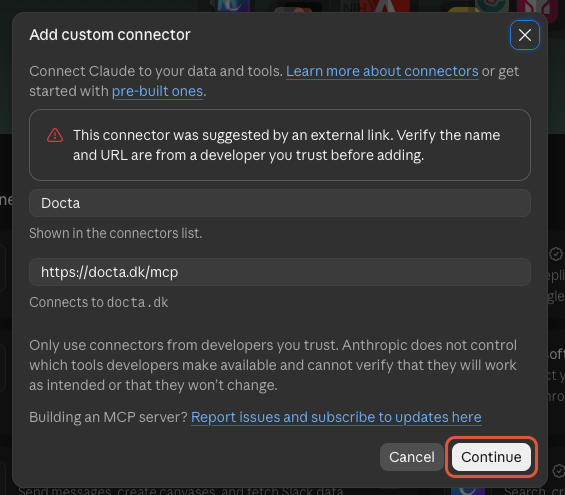
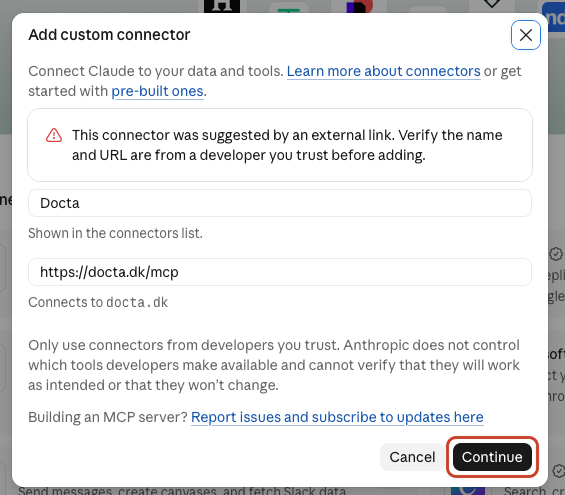
1. Klik Tilføj til Claude ovenfor. claude.ai åbner med Docta udfyldt; klik Continue.
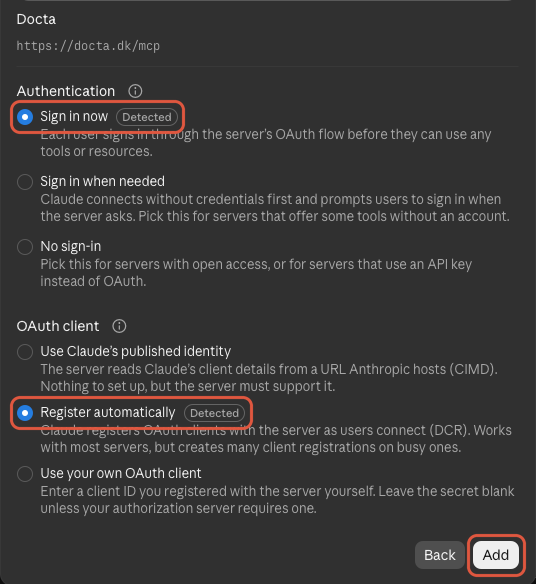
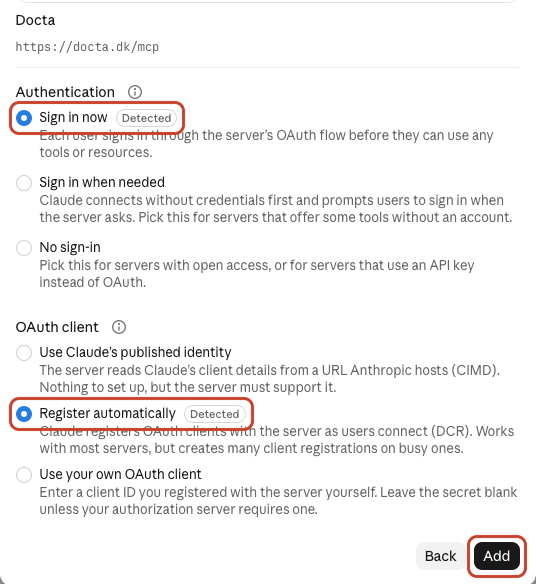
2. Tjek, at Sign in now og Register automatically er valgt, og klik Add.
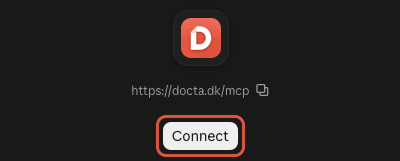
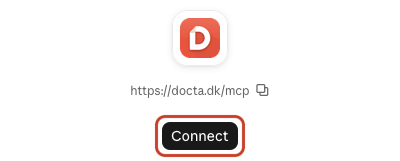
3. Klik Connect.
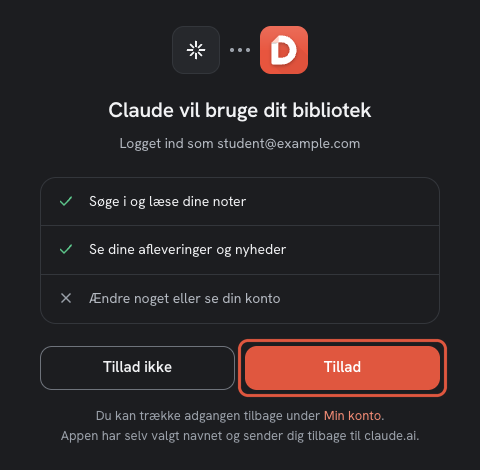
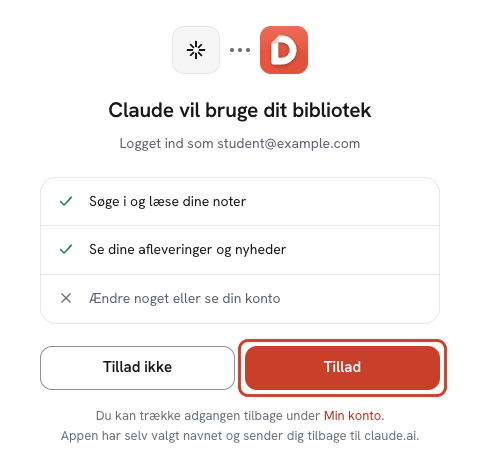
4. docta.dk beder dig give adgang. Klik Tillad.
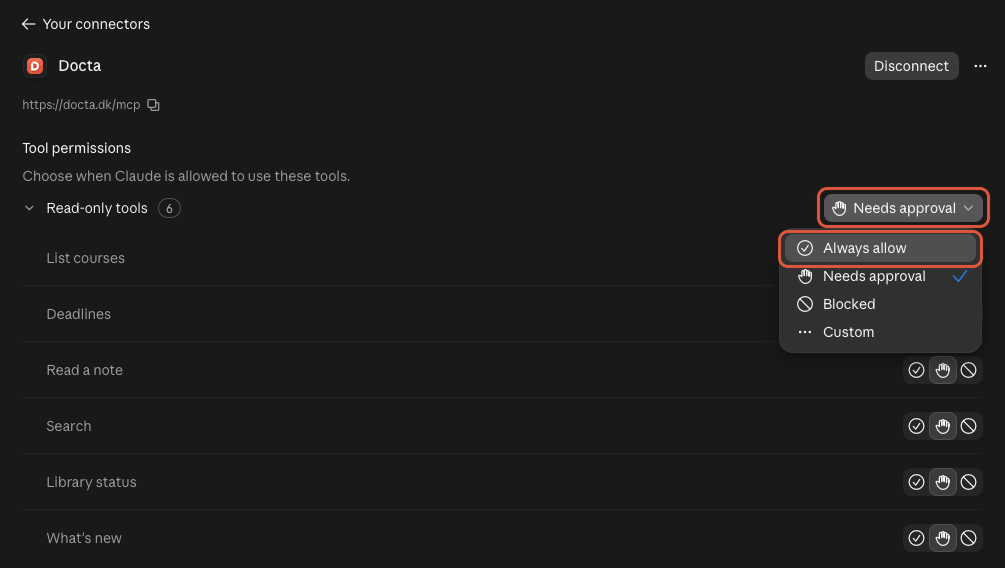
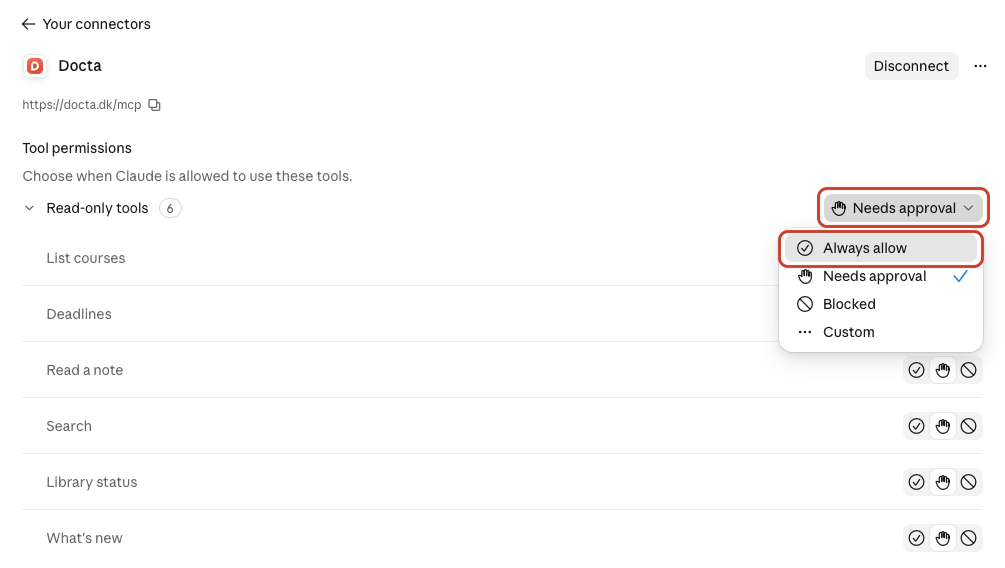
Valgfrit: På Docta-siden i Claude (Customize → Connectors) klikker du Needs approval ud for Read-only tools og vælger Always allow. Så spørger Claude ikke om lov, før den bruger Docta.
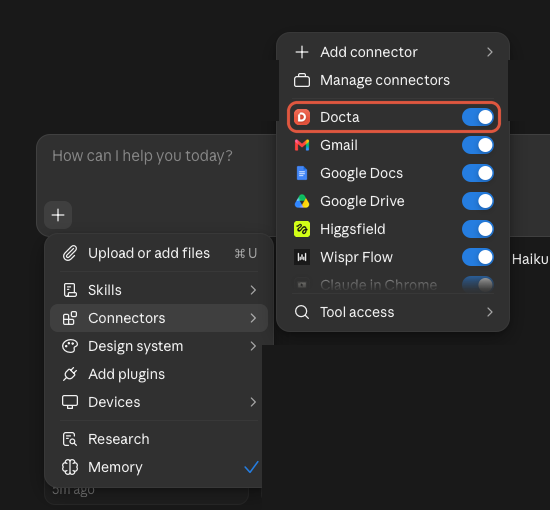
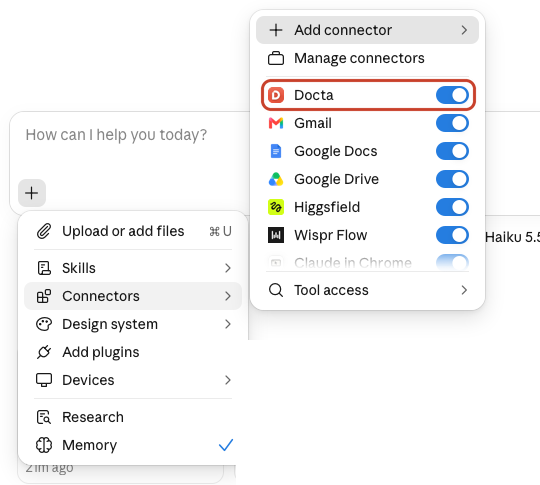
5. I en samtale: klik + under tekstfeltet, åbn Connectors, og slå Docta til. Så kan du spørge løs. Claude bruger selv Docta, når den mener, det giver mening. Skriv Docta i spørgsmålet, hvis du vil være sikker på, at den bruger dit studiebibliotek.
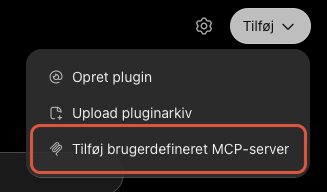
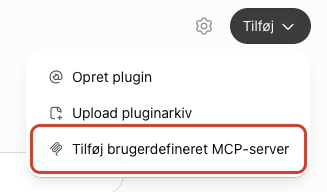
1. Åbn chatgpt.com/plugins, klik Tilføj, og vælg Tilføj brugerdefineret MCP-server.
2. Navn: Docta. Server-URL:
https://docta.dk/mcp
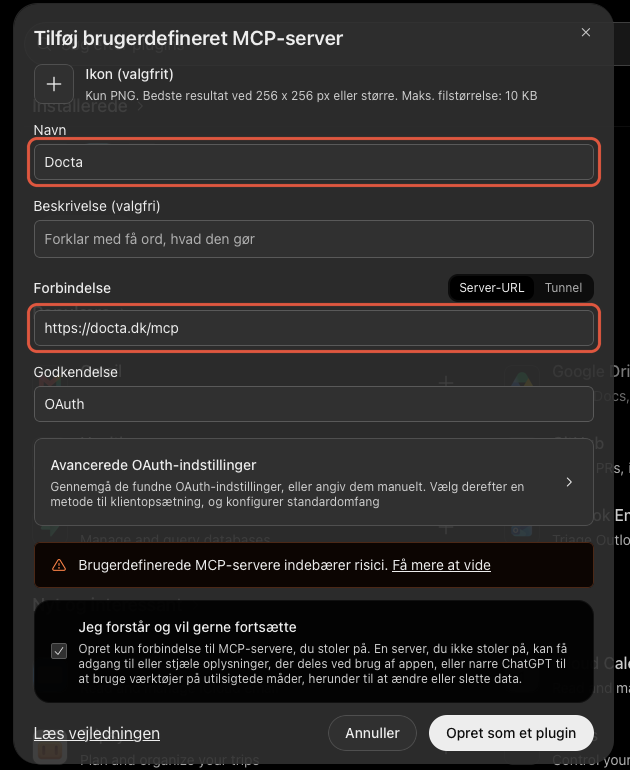
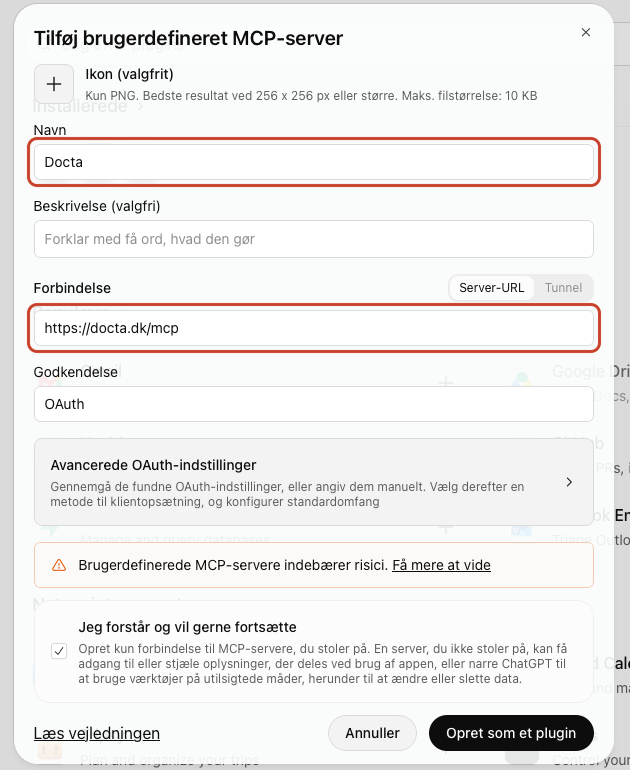
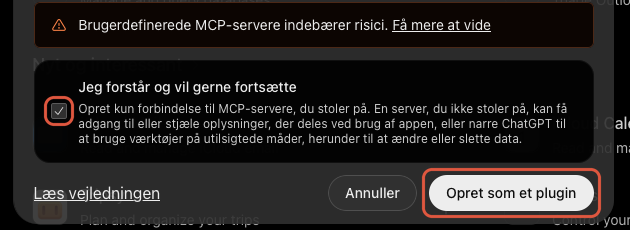
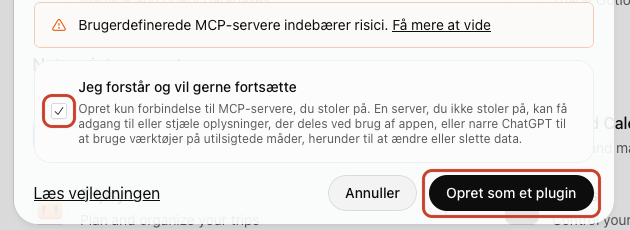
3. Sæt flueben ved Jeg forstår og vil gerne fortsætte, og klik Opret som et plugin.
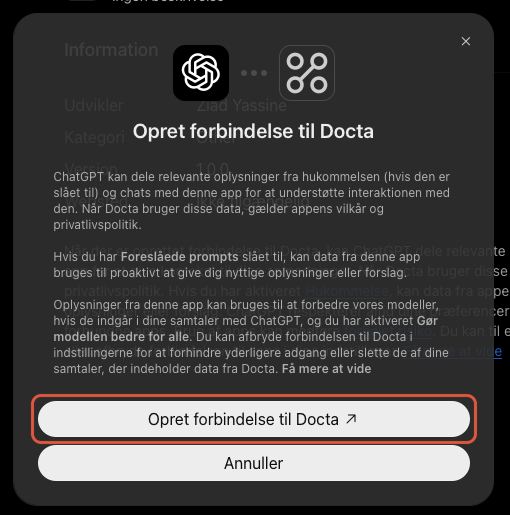
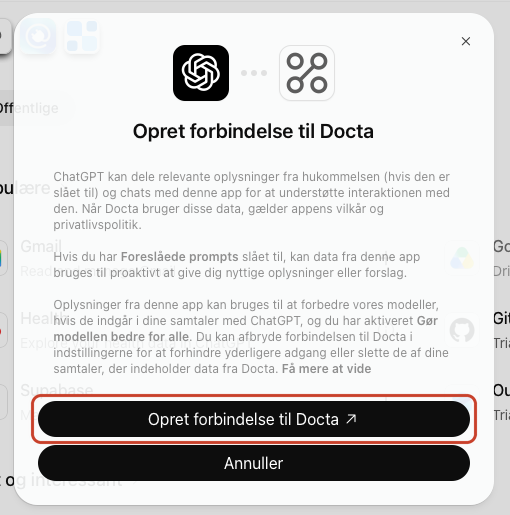
4. ChatGPT viser Opret forbindelse til Docta. Klik på den.
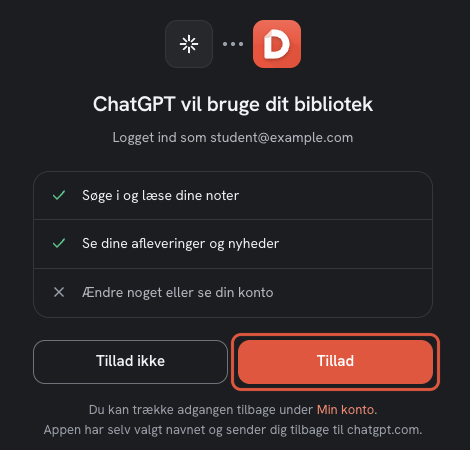
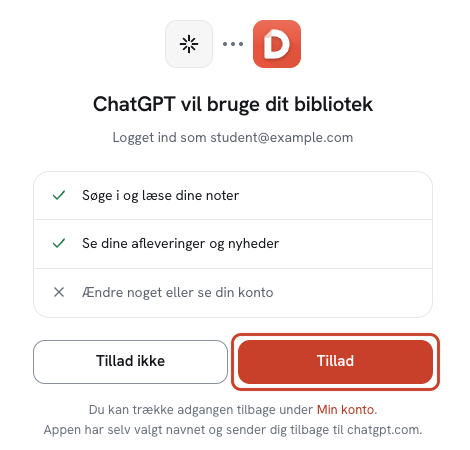
5. Log ind på Docta, hvis du bliver bedt om det, og klik Tillad.
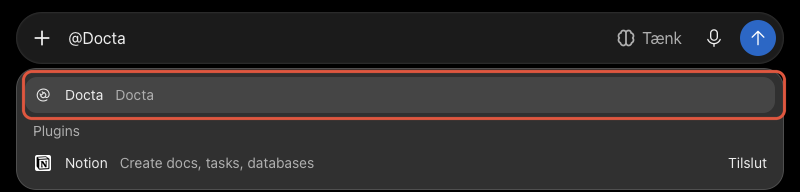
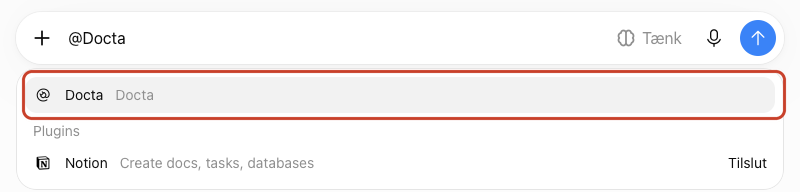
6. I en samtale: skriv @Docta, og vælg den. ChatGPT bruger selv Docta, når den mener, det giver mening. Skriv @Docta før et spørgsmål, hvis du vil være sikker på, at den bruger dit studiebibliotek.
1. Kør dette i en terminal:
claude mcp add --transport http docta https://docta.dk/mcp
2. Start Claude Code, skriv /mcp, og vælg docta. Et browservindue åbner. Log ind, og godkend. Skriv Docta i spørgsmålet, hvis du vil være sikker på, at den bruger dit studiebibliotek.
1. Tilføj serveren, og log ind:
codex mcp add docta --url https://docta.dk/mcp
codex mcp login docta
Skriv Docta i spørgsmålet, hvis du vil være sikker på, at den bruger dit studiebibliotek.
1. Giv din app denne adresse:
https://docta.dk/mcp
2. Kan den ikke logge ind gennem et vindue, så giv den en nøgle i stedet:
Nøglen blev ikke lavet. Prøv igen.
Skriv Docta i spørgsmålet, hvis du vil være sikker på, at den bruger dit studiebibliotek.
Virker det?
Spørg din AI: "Hvilke kurser kan du se i Docta?"
MCP-adresse
Nøgler til andre apps
Til apps, der ikke kan logge ind gennem et vindue. En nøgle holder op med at virke efter 90 dage uden brug.
Free-planen virker med Claude eller ChatGPT. Opgrader for at forbinde andre apps. Se planer
Abonnement og betaling
Skift abonnement eller kort, og se dine kvitteringer.
Din plan
Betalingsmetode
Kvitteringer
Ingen kvitteringer endnu
Abonnement
Konto
Indstillinger
Beta
Læs aftalen igen
Denne browser
Forbinder til udvidelsen…
Udvidelsen svarede ikke.
Feedback
Ingen feedback endnu