Loading your account…

Choose a plan
Keep one course free, or pick a plan for more.
Pick your free course
You can pick another next semester.
You're invited to the beta
You get Docta Degree free for the beta's month. In return you use Docta for real and tell us what goes wrong. Read the agreement and sign below. Docta syncs nothing until you sign.
Docta beta tester agreement · version 4 · 2026-11-04
In short
- You get Docta's Degree plan free for 1 month from the day you sign. That month is the beta.
- In return you use Docta for real and tell us what goes wrong.
- During the beta we see more of your data than our privacy policy normally allows: your original files, what your AI searches for, and your library text. We use it only to find and fix errors.
- All of that extra data is deleted when the beta ends, at the latest 1 month after you sign.
- You can leave at any time from your account page.
1. Who we are
Docta is an interessentskab (I/S) run by Mikkel Blom and Ziad Yassine, the data controller for this agreement. Contact: privacy@docta.dk. Everything not covered here follows our terms and privacy policy. Where this agreement and those documents disagree, this agreement wins for the beta data.
2. The beta
The beta starts when you sign and lasts 1 month. We can end it earlier, for everyone or for you (§8). Docta is unfinished during the beta: things may break, change or disappear, and we make no promise about uptime or that every file is read correctly.
3. What you get
- The Degree plan free for the whole beta. When the beta ends, your free Degree stops and you go back to your normal plan. We never charge you for the free Degree.
- Your normal library stays yours after the beta, under the normal privacy policy.
4. What we ask of you
- Sync your real courses and use Docta with your AI during the beta.
- Tell us when an answer, a citation or a file is wrong, using the report form or a message to us.
- Take part in one or two short check-ins (a call or survey of about 15 minutes).
- Don't share unreleased features, screenshots of them or this agreement's details publicly.
5. The extra data we collect, and why
Only while you are a tester, and only to find and fix errors in how Docta reads files, transcribes recordings, searches and cites, before we launch to paying students:
| Data | How we get it |
|---|---|
| What your AI searches for in Docta, and the notes we send back | Logged by our server for your account |
| Chats you choose to share with us | You send them (share link or export) |
| The original files from your courses, except group pages and peer feedback | The extension uploads them alongside the text |
| The text in your library, readable by us | We may decrypt and read it on our server |
| Full sync reports, including file names and error details | Logged by the extension and our server |
We compare the originals against the text we made from them, and read the searches and chats to see where answers went wrong. We may use AI tools to do this analysis (currently Anthropic's Claude), under terms where the provider does not train on the data. This may transfer data to the USA under the EU–US Data Privacy Framework. Apart from that, the extra data stays on our servers in the EU, encrypted, separate from your library.
We never sell this data, use it for advertising, train AI models on it, or show it to anyone but the two of us.
Your course material may contain other people's names, for example teachers'. We exclude group pages and peer feedback, and we delete everything else together with the rest of the beta data. As in our terms, you sync only material you are allowed to use this way.
Recording how you use docta.dk. Your invitation has a personal link. Only if you open it and press Start do we record how you use docta.dk in that browser:
- which pages you open, and for how long
- what you click (the button's or link's own text)
- how far you scroll
- which form fields you move into, by the field's name only
- errors on the page, and whether our server answered with an error
We never record what you type: no keystrokes, no field contents, no passwords. While it runs, a Stop button at the bottom of every page shows that it is on, and you can press it at any time to stop it. We use the recording only to find where Docta is confusing and to fix bugs, and we delete it together with the rest of the beta data (§7 and §8).
6. Legal basis
Your consent (GDPR art. 6(1)(a)) for your own data. For other people's data that appears in your course material, our legitimate interest in making Docta read files correctly (art. 6(1)(f)).
7. How long we keep it
We delete all the extra data in §5 on the day the beta ends, at the latest 1 month after you signed. Backups that still hold it are gone 30 days after that. After deletion we keep only numbers that say nothing about you or your files (for example "4% of scanned PDFs were misread"). We never quote you without asking you about that specific quote first.
8. Leaving early
You can withdraw your consent and leave the beta at any time under your account page, or by writing to privacy@docta.dk. We then stop collecting the extra data at once and delete what we hold within 30 days. You keep the beta time you have already used and owe us nothing. You go back to your normal plan, and the rest of the free months no longer apply. Withdrawing does not affect what we did with your data before you withdrew.
We can also end your participation early, for example if the beta closes early or you no longer take part as §4 asks. It then counts as if the beta had ended for you: your free Degree stops that day and you go back to your normal plan.
9. Your rights
You keep every right from the privacy policy: access, correction, deletion, restriction, data portability and objection, and you can complain to Datatilsynet (datatilsynet.dk).
10. Signing
You sign with the box below this agreement. A Danish version is available on request.
- HomeSee whether your courses are up to date, and search them from the bar at the top.
- Your coursesChoose which courses Docta reads, and see your recent syncs.
- ConnectionsConnect ChatGPT, Claude or another AI app to your courses.
- FeedbackFound a bug or have an idea? Write to us under Feedback.
Welcome back
Your week overview
Your setup
Connections
- Connected
- Last used
- Keys for other apps
- The Free plan connects one AI app.
- First questionUsing Docta, which of my courses can you see?
Connections
Not connected yet
- ChatGPTThrough Plugins → Add
- Claudeclaude.ai and the Claude app
- In a terminalClaude Code, Codex CLI
- The Free plan connects one of them.
Your week overview
Due
A quiet week. Nothing due, no deadlines moved and nothing new.
Nothing due in the next 7 days
Deadlines that moved
No deadlines moved
New
No new files or announcements
Connect your calendar
Include
Add to your calendar
Other app:
Calendar stopped updating?
Your courses
Choose which courses Docta reads.
Docta isn't installed in this browser. Install Docta, or open this page in the browser that has it to choose courses.
Docta isn't signed in to your school in this browser. Finish setup
The extension in this browser isn't linked to this account. Link it
Your sources
Pages and PDFs you saved without a course. Your AI searches them along with your courses.
Your sources come with Semester and Degree, so your AI can't use them now. See plans
Sync
See whether Docta is connected, and what the last syncs fetched.
Status
Confidential and locked files
A confidential file goes in your library only once you choose Include. Docta doesn't catch every confidential file.
| File | Course | Folder | Reason | Status |
|---|
Recent syncs
Files you've answered
| File | Course | Folder | Reason | Status |
|---|
Files
Open in itslearningConnections
Connect the AI you use, so it can search your courses.
Connect an AI
Docta then shows up in the Claude app on your computer too.
Add it by hand
1. Log in to claude.ai and open Settings → Connectors.
2. Click Add custom connector. Name: Docta. URL:
https://docta.dk/mcp
3. Click Add, then go on from step 2 below.
Already added Docta once? The link then says it exists: open Customize → Connectors → Yours, click Docta and Connect.
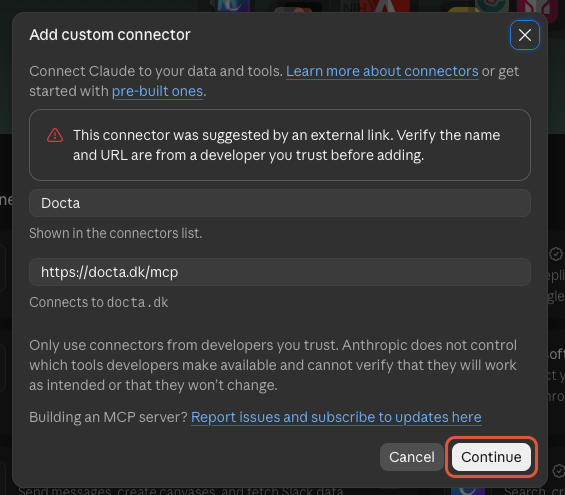
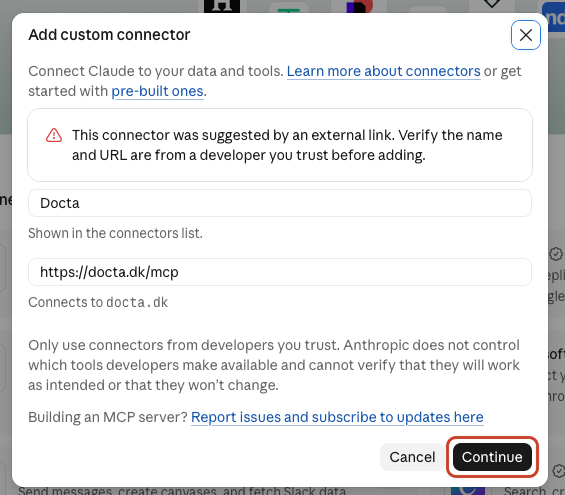
1. Click Add to Claude above. claude.ai opens with Docta filled in; click Continue.
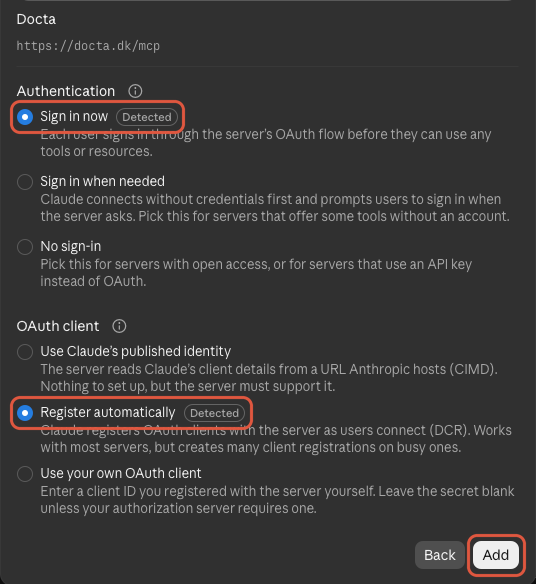
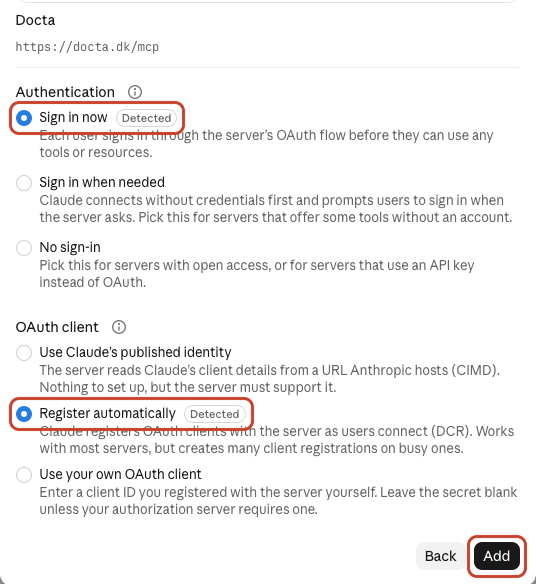
2. Check that Sign in now and Register automatically are chosen, then click Add.
3. Click Connect.
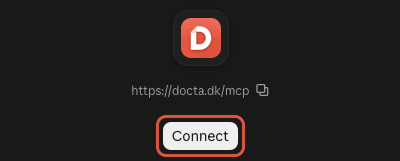
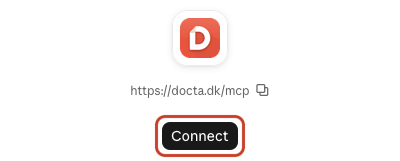
4. docta.dk asks you to allow access. Click Allow.
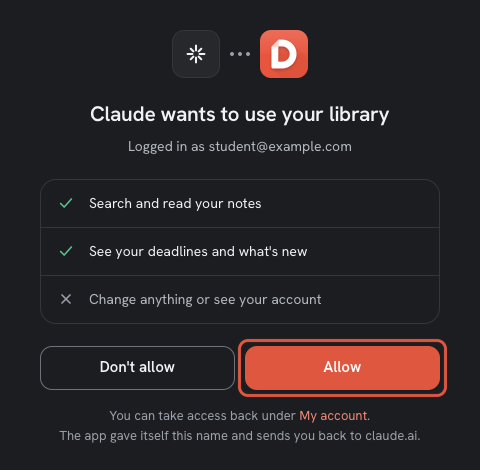
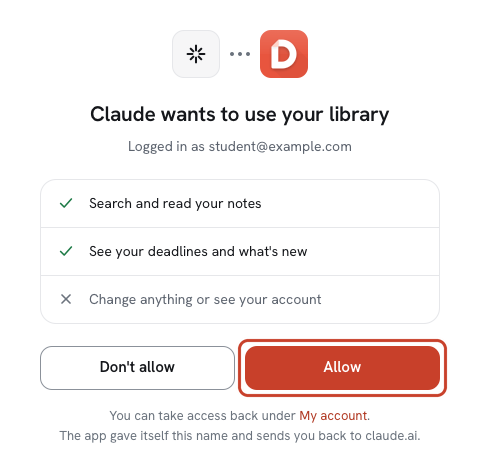
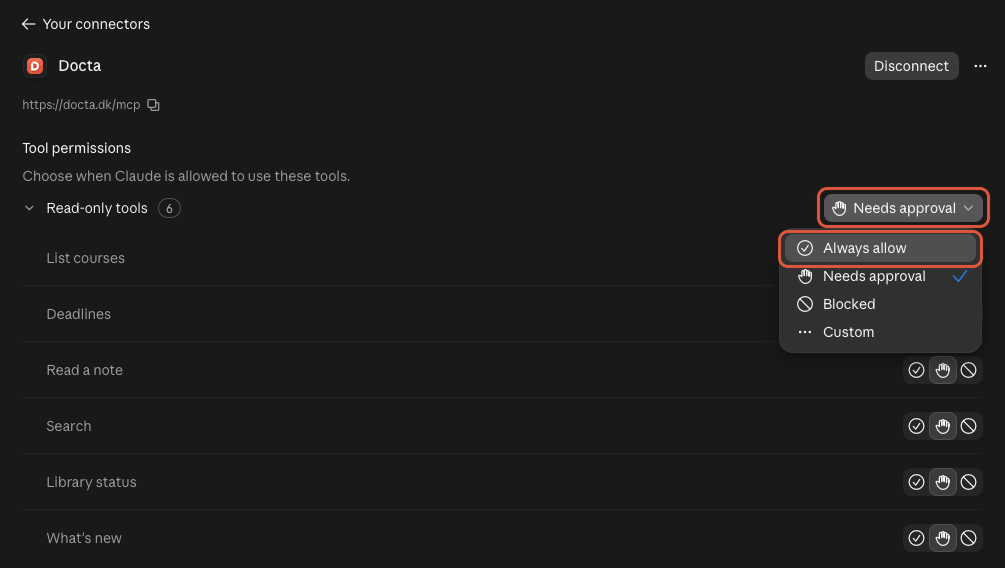
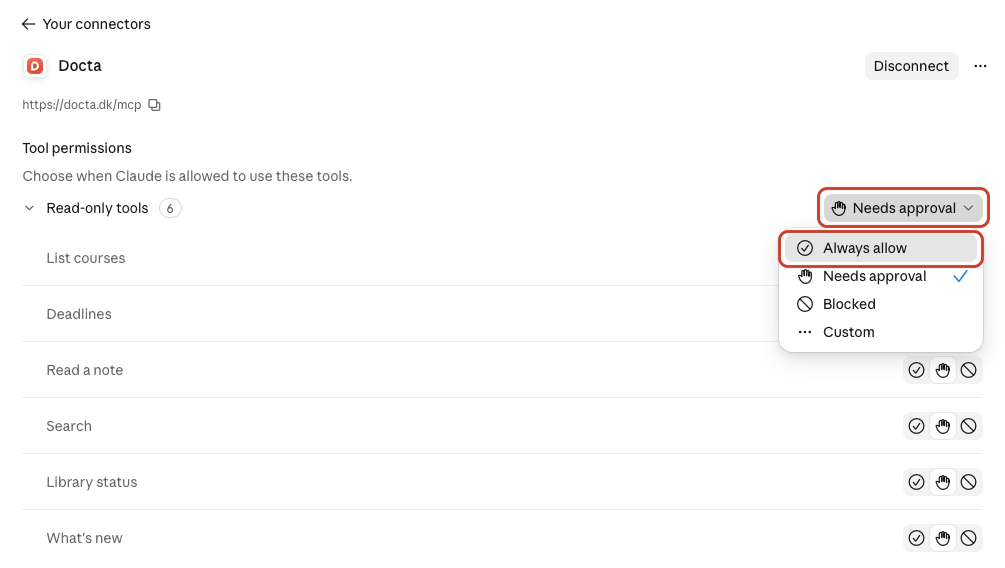
Optional: On Docta's page in Claude (Customize → Connectors), click Needs approval next to Read-only tools and choose Always allow. Then Claude stops asking before it uses Docta.
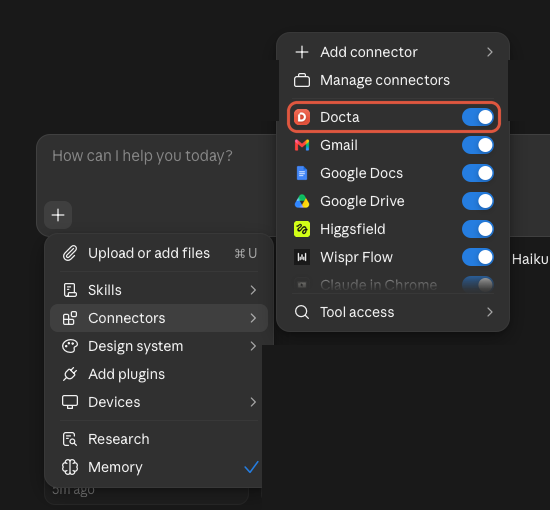
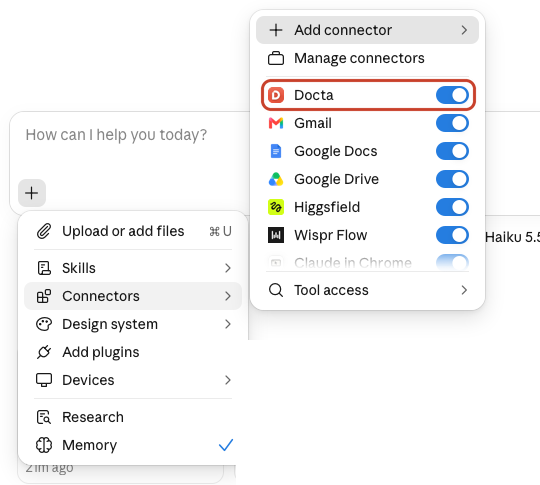
5. In a chat, click + under the text box, open Connectors and switch Docta on. Then ask away. Claude uses Docta by itself when it thinks it makes sense. Write Docta in the question if you want to make sure it uses your school library.
1. Open chatgpt.com/plugins, click Add and choose Add custom MCP server.
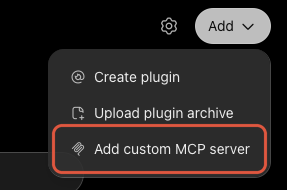
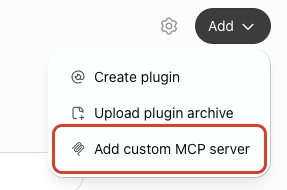
2. Name: Docta. Server URL:
https://docta.dk/mcp
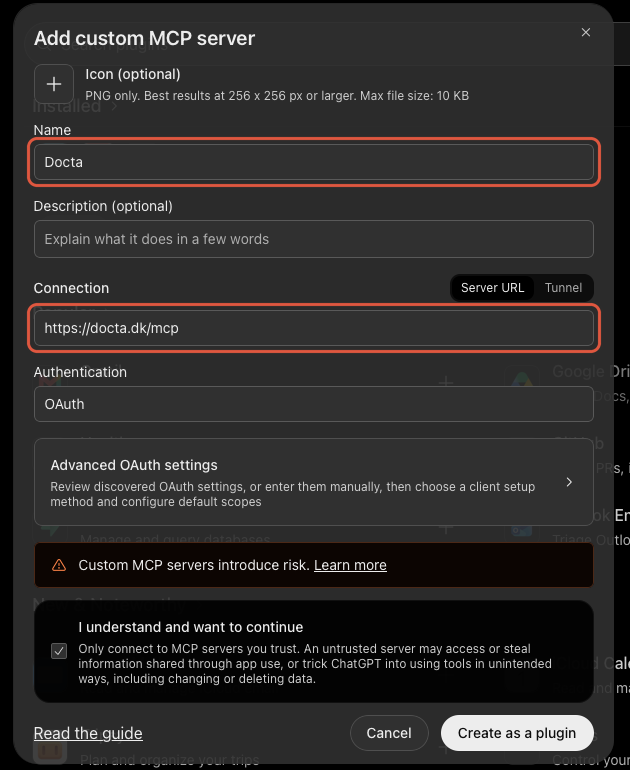
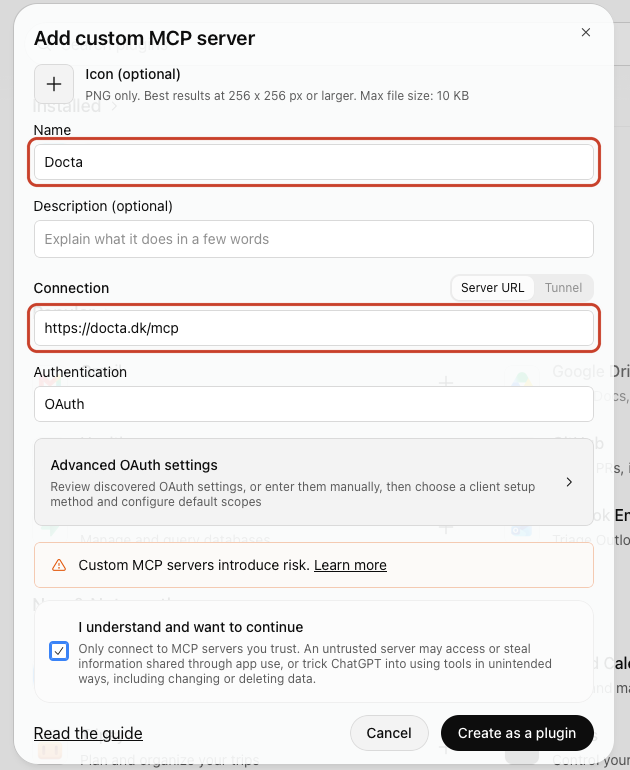
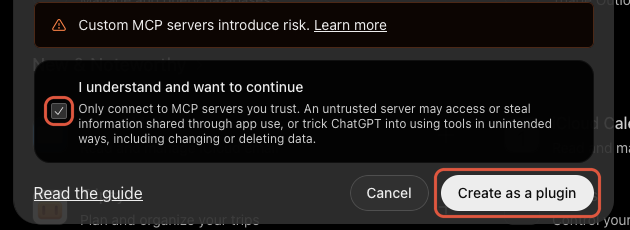
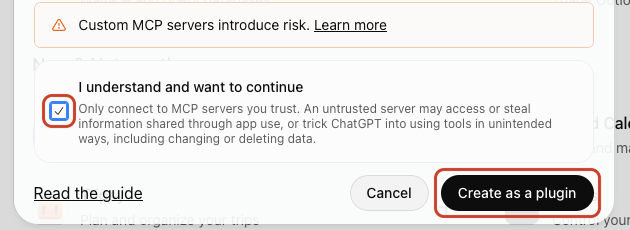
3. Tick I understand and want to continue, then click Create as a plugin.
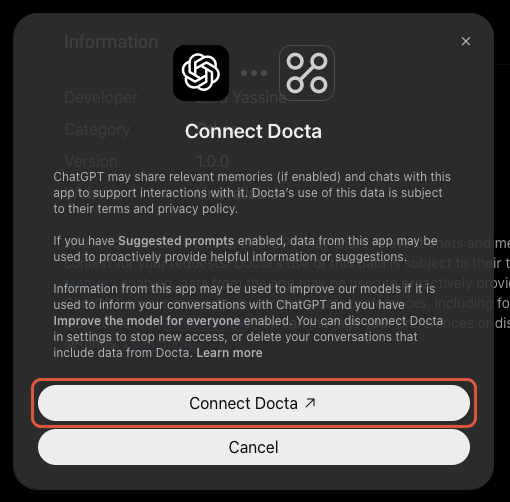
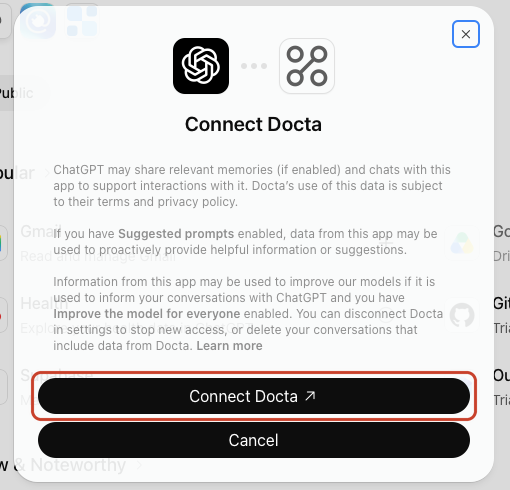
4. ChatGPT shows Connect Docta. Click it.
5. Log in to Docta if asked, and click Allow.
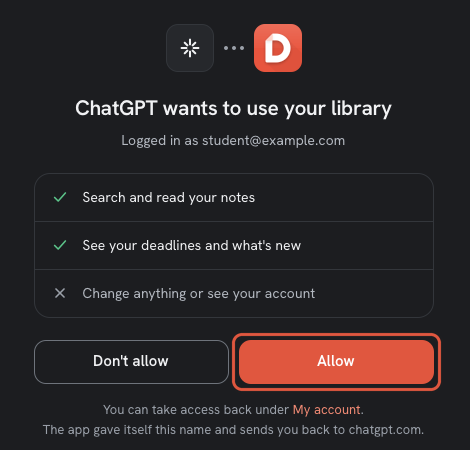
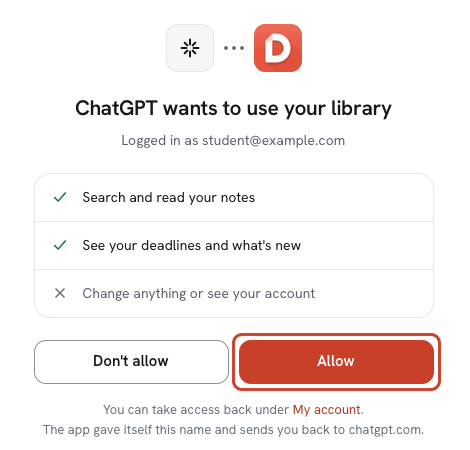
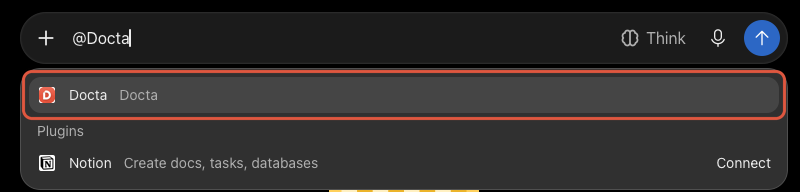
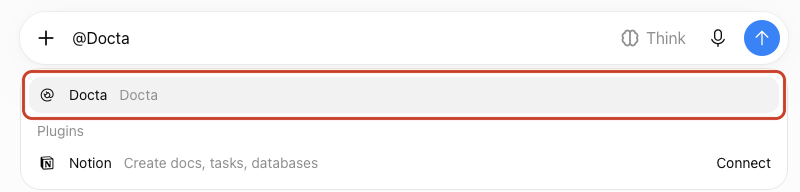
6. In a chat, type @Docta and pick it. ChatGPT uses Docta by itself when it thinks it makes sense. Type @Docta before a question if you want to make sure it uses your school library.
1. Run this in a terminal:
claude mcp add --transport http docta https://docta.dk/mcp
2. Start Claude Code, type /mcp and choose docta. A browser window opens. Log in and approve. Write Docta in the question if you want to make sure it uses your school library.
1. Add the server and log in:
codex mcp add docta --url https://docta.dk/mcp
codex mcp login docta
Write Docta in the question if you want to make sure it uses your school library.
1. Give your app this address:
https://docta.dk/mcp
2. If it can't log in through a window, give it a key instead:
The key wasn't made. Try again.
Write Docta in the question if you want to make sure it uses your school library.
Does it work?
Ask your AI: "Which courses can you see in Docta?"
MCP address
Keys for other apps
For apps that can't sign in through a window. A key stops working after 90 days without use.
The Free plan works with Claude or ChatGPT. Upgrade to connect other apps. See plans
Plan and payment
Change your plan or card, and see your receipts.
Your plan
Payment method
Receipts
No receipts yet
Subscription
Account
Settings
Beta
Read the agreement again
This browser
Connecting to the extension…
The extension didn't answer.
Feedback
No feedback yet